
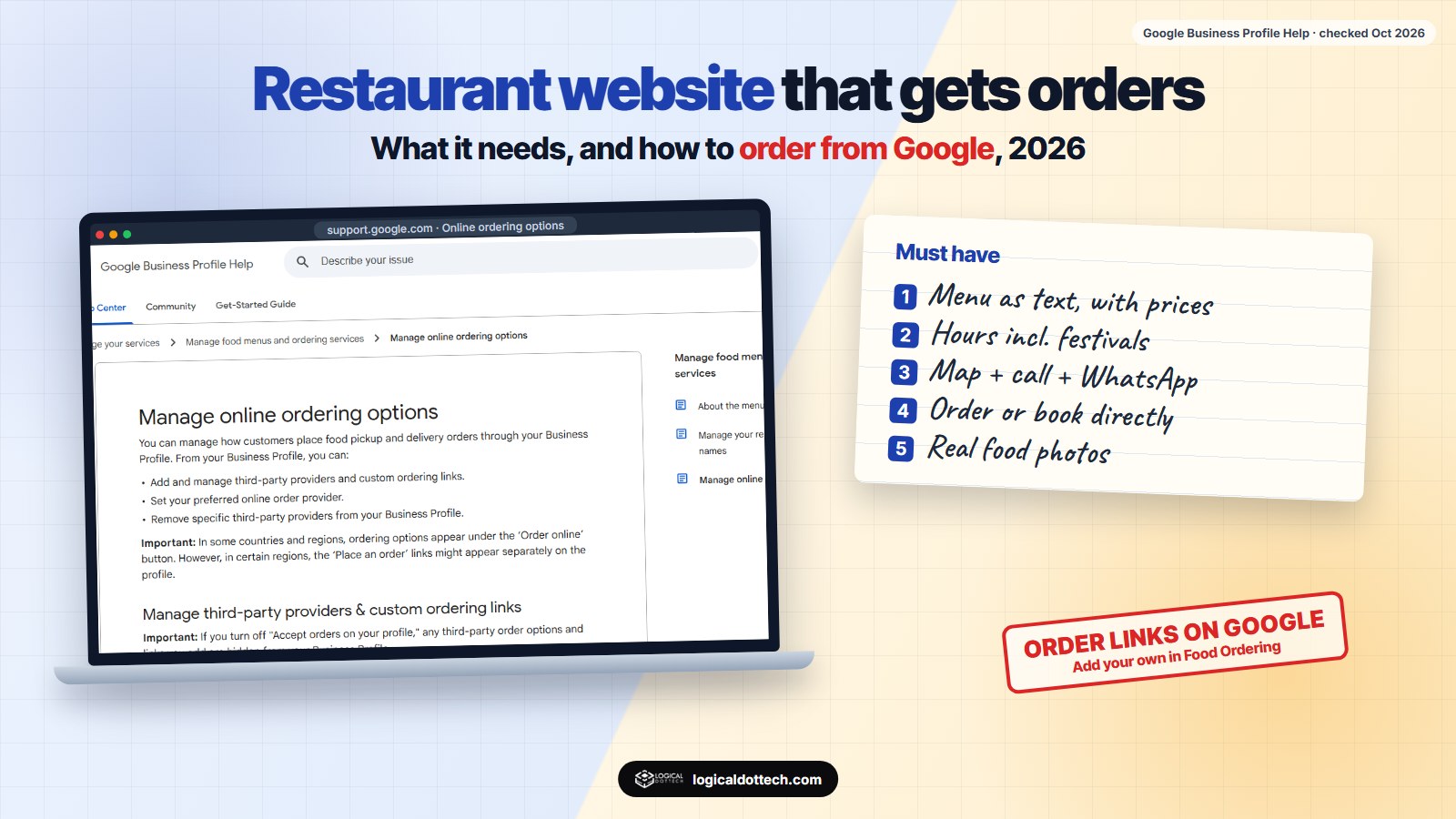
Short answer: a restaurant website needs five things above all: the menu as text with prices, opening hours, the address with a map, a one-tap way to call or WhatsApp, and a way to order or book directly. Link it from your Google Business Profile, add ordering links there, and use Restaurant schema. Delivery apps bring new customers; your own site is how you keep them without paying commission on every order.
Most restaurant websites we see are a slideshow of food photos, a menu as a blurry PDF and a contact form nobody checks. This guide is the version that brings orders and bookings. It uses Google’s own Business Profile help pages and public reporting on India’s delivery apps, checked on 20 October 2026.
What should a restaurant website have?
| Must have | Why |
|---|---|
| Menu as text, with prices | The most visited page on any restaurant site. Text loads fast and can be read by Google and AI assistants |
| Opening hours, including holidays | “Is it open now?” is the question behind many visits |
| Address and Google Map | One tap to get directions |
| Call and WhatsApp buttons | Most people will be on a phone, often hungry and in a hurry |
| Order or book directly | Orders without app commission, and customer details you keep |
| Real photos | Your actual dishes and room, not stock pictures |
| Your Google rating | Proof from other diners, linked to your reviews |
Nice to have: a short story of the place, party and catering menus, a page for each branch, and a gift card or event booking page.
Why have your own site if you are on Zomato and Swiggy?
Delivery apps are good at bringing new customers. They are less good for you once someone becomes a regular, because every repeat order still goes through the app, next to your competitors, with commission taken.
The terms are also not fully in your hands. In November 2024, MediaNama, citing Reuters, reported that an investigation by the Competition Commission of India found Zomato and Swiggy had exclusivity arrangements with some restaurants, with lower commissions or growth offered in return, which the investigators said “prevent the market from becoming more competitive”. The case started with a complaint by the National Restaurant Association of India. These were preliminary findings, not a final order, and both companies said they comply with the law.
The practical point: keep the apps for reach, and use your own website, Google profile and WhatsApp for regulars.
How do you get orders from Google directly?
Many diners never open your website. They see your Google Business Profile in Maps and order from there. Google lets food businesses control how that works:
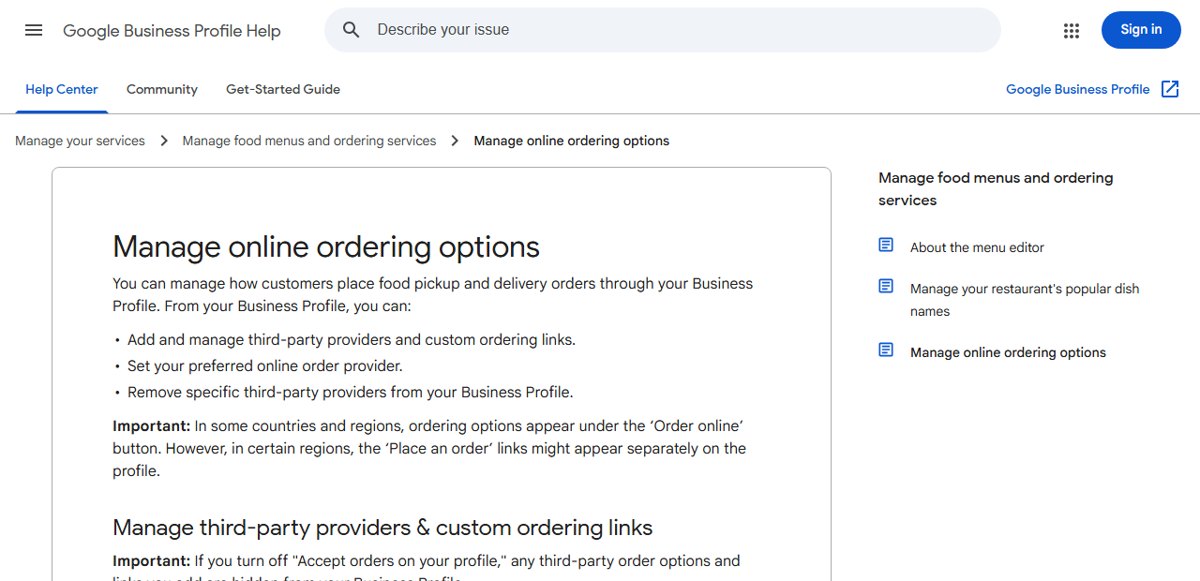
- Add your own ordering link. In the Food Ordering section of your profile, add a custom link to your website’s order page or WhatsApp.
- Choose a preferred provider. If you also use delivery apps, mark which one should come first for pickup or delivery.
- Remove what you do not use. Providers that claim a link to your business are listed automatically; remove any you do not work with.
- Add the menu. Google’s help centre has a menu editor for food businesses, and you can mark your popular dishes.
- Keep hours right. Set special hours for festivals and holidays so nobody arrives at a closed door.
Google notes that in some countries these links appear under an “Order online” button, and in others as a separate “Place an order” link.
How should you put your menu online?
- As text on the page. Dish name, a one-line description, price, and veg or non-veg marks. A PDF alone is slow on phones and harder for search engines to read.
- Grouped the way people order. Starters, mains, breads, drinks, desserts, combos.
- With a few real photos. Your best sellers, shot in good light.
- Updated the same day prices change. A wrong price on your own site causes arguments at the counter.
- The same menu everywhere. Website, Google profile and apps should match.
Restaurant SEO in five steps
- Google Business Profile first. Right category (for example North Indian restaurant or Bakery), photos, menu, ordering links, hours.
- A clear home page title. Your name, the cuisine and the area, such as “Name: North Indian Restaurant in Model Town, Hisar”.
- Restaurant schema. schema.org has a Restaurant type with fields for cuisine, menu, price range, opening hours and reservations. Fill them in with the same details visitors see.
- Reviews. A QR code to your review page on the bill folder, and a reply to every review.
- Pages people search for. Party and catering, birthday bookings, the dishes you are known for, and a page per branch if you have more than one.
Common restaurant website mistakes
| Mistake | What to do instead |
|---|---|
| Menu only as a large PDF or photos of the printed menu | A text menu on the page, with a PDF to download |
| Phone number hidden in the footer | Call and WhatsApp buttons at the top |
| Old prices and dishes no longer served | Update the menu the day it changes |
| Different hours on the website and Google | One set of hours, with festival special hours |
| Autoplay video and music on the home page | A fast page with one good photo and the menu link |
| Only app links, no direct order option | Add your own order or WhatsApp link for regulars |
If you want a restaurant website built this way, see our website design and development service or, near us, website designing in Fatehabad. For the Google profile side, read our local SEO checklist for India. Book a free 30-minute call and we will look at your current site and profile with you.
Common questions
Does a restaurant need a website if it is on Zomato and Swiggy?
Yes, if you want orders and customers you own. On delivery apps you sit next to competitors and pay commission on each order. Your own website lets regulars order or book directly, shows your full menu and story, and gives Google and AI assistants a page about you that you control.
What should a restaurant website have?
The menu as text with prices, opening hours, address with a map, a phone number and WhatsApp button, a way to order or book directly, real food and dining-room photos, and your Google rating. Everything else is optional.
Should my menu be a PDF?
Do not rely on a PDF alone. A menu written as text on a web page loads fast on a phone, can be read by Google and AI assistants, and is easy to update. Keep a PDF download for people who want to print it.
Can customers order from my Google Business Profile?
Yes, in many countries. Google lets you add custom ordering links and choose a preferred provider from the Food Ordering section of your profile. In some regions the link shows under an “Order online” button, in others as a separate “Place an order” link.
What schema should a restaurant website use?
Use the schema.org Restaurant type (or a closer one such as Bakery or CafeOrCoffeeShop) with your name, address, phone, opening hours, cuisine, price range and a link to your menu. Keep it matching what visitors see.
How do I get more Google reviews for my restaurant?
Put a QR code to your review page on the bill folder or table card, and ask happy regulars in person. Reply to every review, good or bad, in your own words. Never offer free food in return for a good review.
Sources checked on 20 October 2026: Google Business Profile Help, Manage online ordering options, schema.org Restaurant and MediaNama, 11 November 2024, citing Reuters, on the CCI investigation into Zomato and Swiggy. The CCI findings reported were preliminary; check for later orders before relying on them.