
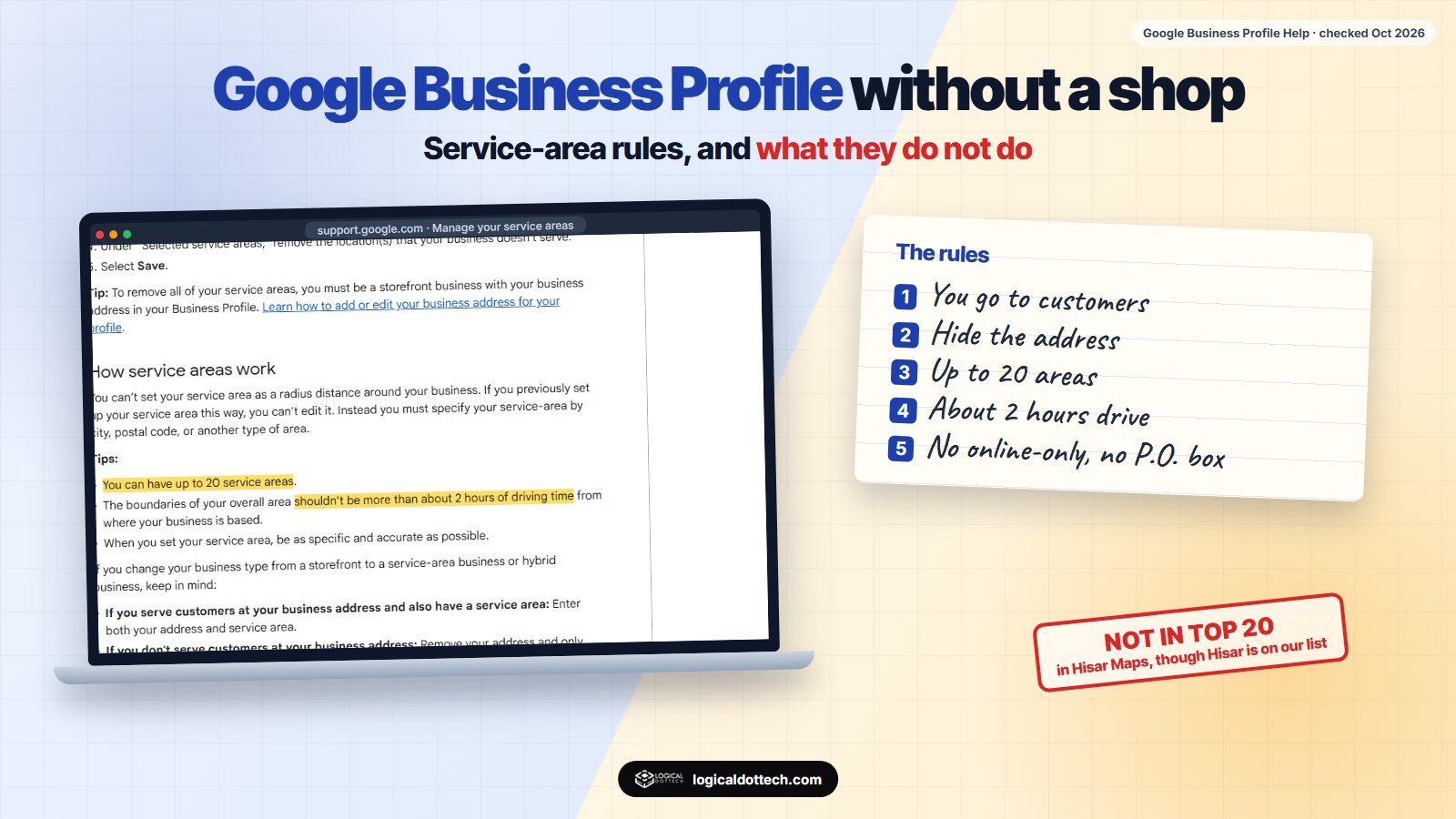
Short answer: yes, you can have a Google Business Profile without a shop, as long as you go to your customers or deliver to them. Set it up as a service-area business, hide the address, and add up to 20 cities or postal codes within about 2 hours’ drive of where you are based. Online-only businesses, lead generation companies and P.O. box addresses are not eligible. And a service area does not make you rank everywhere on it: distance still decides most Maps results.
A lot of small businesses have no shop: electricians, tutors, cleaners, caterers, people who work from home. The question we hear most from them is the same: can I still be on Google Maps? This guide answers it from Google’s own help pages, read on 26 October 2026, and from our own profile and a Maps check we ran the same day.
Can you have a Google Business Profile without a physical address?
Yes, with one condition. Google’s eligibility guidelines say a business must make in-person contact with customers during its stated hours. That contact can happen at your premises or at the customer’s place.
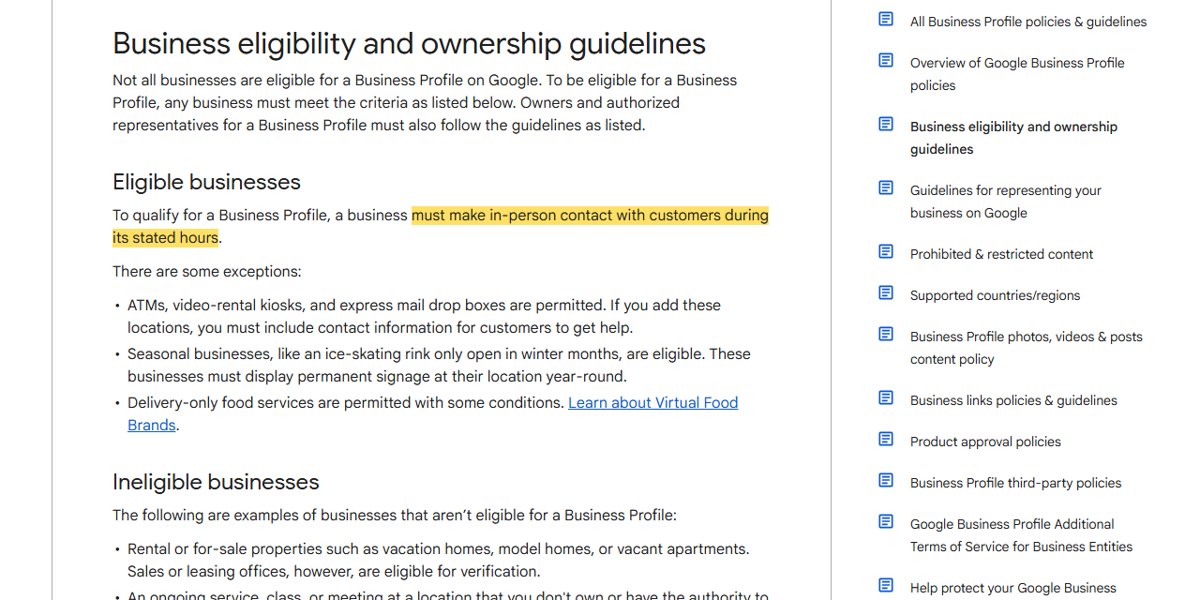
So a plumber, a home tutor or a caterer who travels to customers qualifies. A business that only sells online, with no face-to-face contact, does not.
Storefront, service-area or hybrid: which one are you?
| Type | What it means | Address shown? | Example |
|---|---|---|---|
| Storefront | Customers come to you | Yes | Shop, clinic, restaurant |
| Service-area business | You go to customers or deliver, and do not serve them at your address | No, only the service area | Plumber, cleaner, home tutor |
| Hybrid | Customers can visit, and you also go to them | Yes, plus a service area | Restaurant that also delivers; an office that also visits clients |
Google’s service area help page adds two details that catch people out: a service-area business can have only one profile for the whole area it serves, and businesses selling age-restricted products such as alcohol or weapons need a storefront. It also says that if your business does not have permanent on-site signage, it is not eligible as a storefront and should be listed as a service-area business.
Who cannot have a Google Business Profile?
From the same eligibility page, these are examples of businesses that are not eligible:
- Online-only businesses, brands, organisations and artists with no in-person contact.
- Lead generation agents or companies.
- Rental or for-sale properties such as vacation homes or vacant flats (sales and leasing offices are fine).
- An ongoing class or meeting at a place you do not own or have the right to represent.
- Any business whose address is a P.O. box or a mailbox in a remote location.
How to set up a profile without showing your address
- Create or open your profile and choose that you visit or deliver to customers.
- Enter your real address for verification. Google uses it to verify the business; you can keep it off the public profile.
- Remove the address from public view if customers do not come to you. Google’s help page says: if you don’t serve customers at your business address, remove your address from your Business Profile.
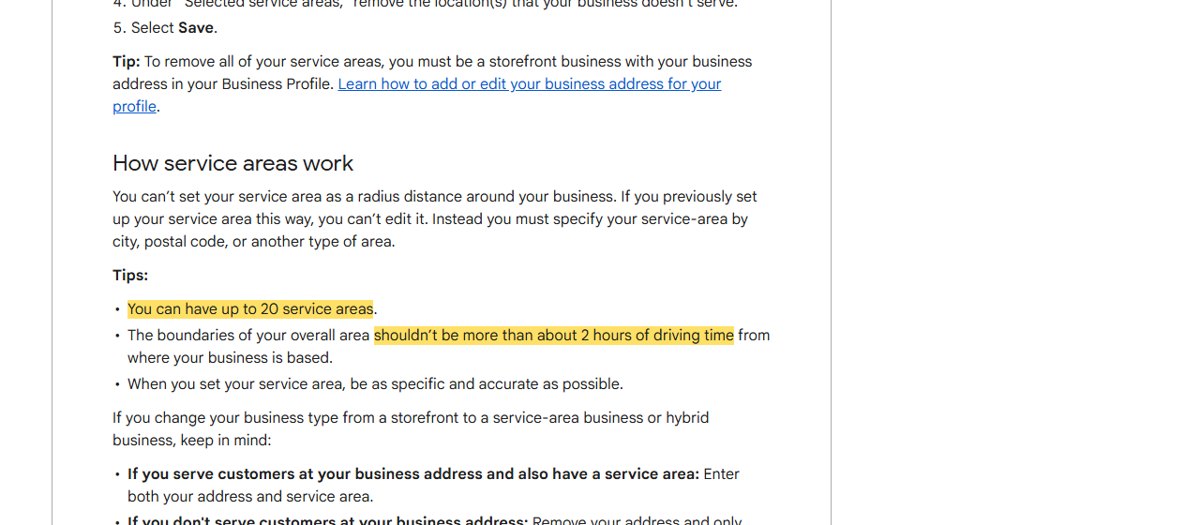
- Add your service areas: Edit profile, then Location, then Service area. Pick cities, postal codes or other areas; a radius is no longer allowed.
- Stay within about 2 hours’ drive and no more than 20 areas.
- Wait for approval. Google says approved service area edits may take up to 48 hours to show.
Does a service area help you rank in other towns?
Less than people hope. Google’s own page on improving your local ranking says local results are based mainly on relevance, distance and prominence. A service area tells Google where you work; it does not move you closer to someone searching 50 km away.
Our own profile shows this. Our Fatehabad profile is a hybrid business: it shows our office address and lists six service areas, including Hisar, about 50 km away. On 26 October 2026 we checked Google Maps from central Hisar for four searches:
| Search, from central Hisar | Our position | What the top results had |
|---|---|---|
| website designer | Not in top 20 | Hisar addresses, 39 to 82 reviews in the top five |
| seo company | Not in top 20 | Hisar addresses, 22 to 194 reviews |
| digital marketing agency | Not in top 20 | Hisar addresses, 60 to 305 reviews |
| web development company | Not in top 20 | Hisar addresses, 47 to 82 reviews |
From Fatehabad itself, the same profile ranks between #2 and #11 for these searches. The lesson: a service area is honest coverage information, not a ranking trick. To reach customers in towns further away, build a page on your website for each town you really serve, and earn reviews from customers there. We wrote up our Fatehabad numbers in how we rank on Google Maps in a small town.
Common mistakes that get profiles suspended
| Mistake | Do this instead |
|---|---|
| A virtual office or co-working desk where nobody meets customers | Use your real base and hide it if customers do not visit |
| A P.O. box or mailbox as the address | A real street address for verification |
| Several profiles for one service-area business, one per town | One profile with up to 20 service areas |
| Whole states or countries as the service area | The cities you really reach, within about 2 hours’ drive |
| Town names stuffed into the business name | Your real name, as on your signage and stationery |
| Showing a home address customers should not visit | Remove it and show only the service area |
Google’s guidelines for representing your business sum it up: represent your business as it is known in the real world, keep the address or service area accurate and precise, and keep one profile per business.
If you want help setting this up or fixing a suspended profile, see our Google Business Profile optimization and local SEO services, or our local SEO checklist for India. Book a free 30-minute call and we will check your profile set-up with you.
Common questions
Can I create a Google Business Profile without an address?
Yes, if you visit or deliver to your customers. Set the profile up as a service-area business, remove the address from public view and add the cities or postal codes you serve. Google still needs an address for verification; it just does not show it.
Can an online-only business have a Google Business Profile?
No. Google lists online-only businesses, along with brands and lead generation companies, as not eligible. A business must make in-person contact with customers during its stated hours, either at its own address or at the customer’s.
How many service areas can I add?
Up to 20, set by city, postal code or another area, not as a radius. Google says the overall area should not be more than about 2 hours of driving time from where the business is based.
Can I use a virtual office or co-working address?
Only if it is a real place where your staff meet customers during your stated hours. Google does not accept a P.O. box or a mailbox in a remote location as a business address, and listing an address you do not really use can get a profile suspended.
Will adding a town to my service area make me rank there?
Not by itself. Google ranks local results mainly on relevance, distance and prominence. In our own check from central Hisar, which is on our service area list, we did not appear in the top 20 Maps results for four main searches. Pages on your website for that town help more.
Should a home-based business show its address?
Only if customers come to you there. If you go to your customers instead, remove the address and show only the service area. That also keeps your home address private.
Sources checked on 26 October 2026: Google Business Profile Help, Manage your service areas, Business eligibility and ownership guidelines, Guidelines for representing your business on Google and How to improve your local ranking on Google. Our profile set-up was read from the Business Profile API, and the Hisar Maps positions come from our own check from central Hisar on 26 October 2026.